Saan makikita ang Affiliate GMV per creator sa TikTok Shop: gumamit ng 3 views bago mag-reinvest
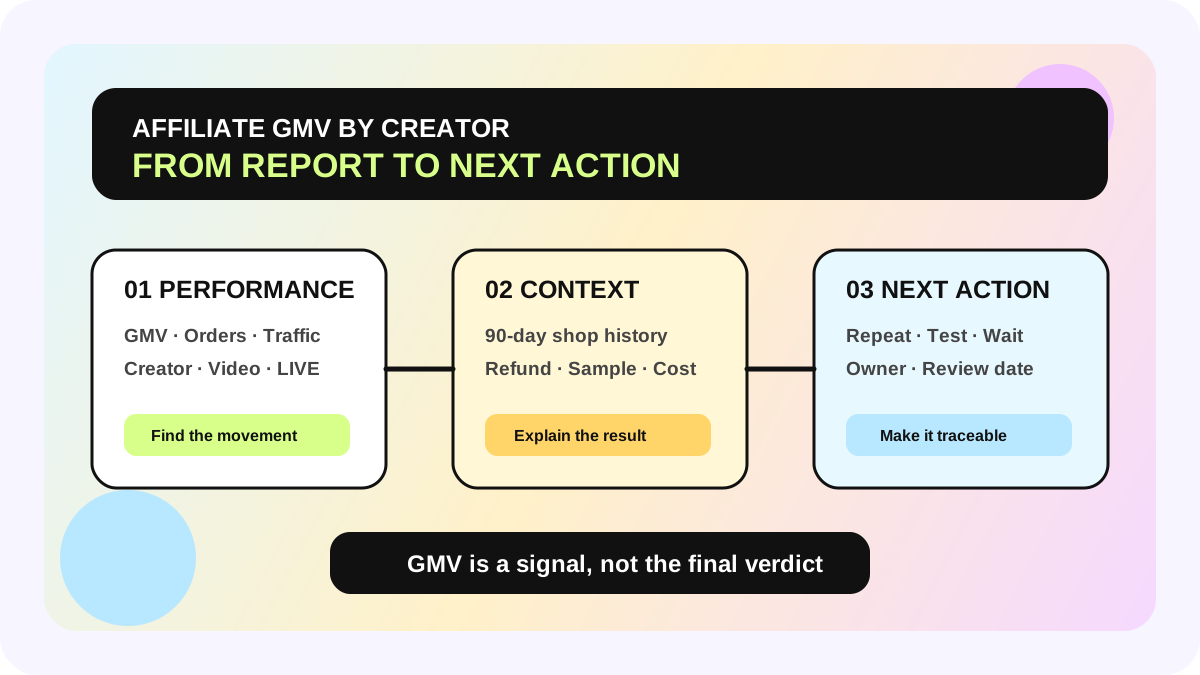
Kung kailangan mong makita ang TikTok Shop Affiliate GMV per creator, magsimula sa Affiliate Center → Performance at mag-drill down sa Creator view. Gamitin ang Manage Creators para sa 90-day history ng isang creator sa shop mo, at buksan ang Sample Analytics kapag sample cost at output ang kailangang i-review. Magkakaugnay ang tatlong views pero hindi sila pareho. Hindi sapat ang creator-GMV ranking para malaman ang profit, refund risk, o kung repeatable ang result.
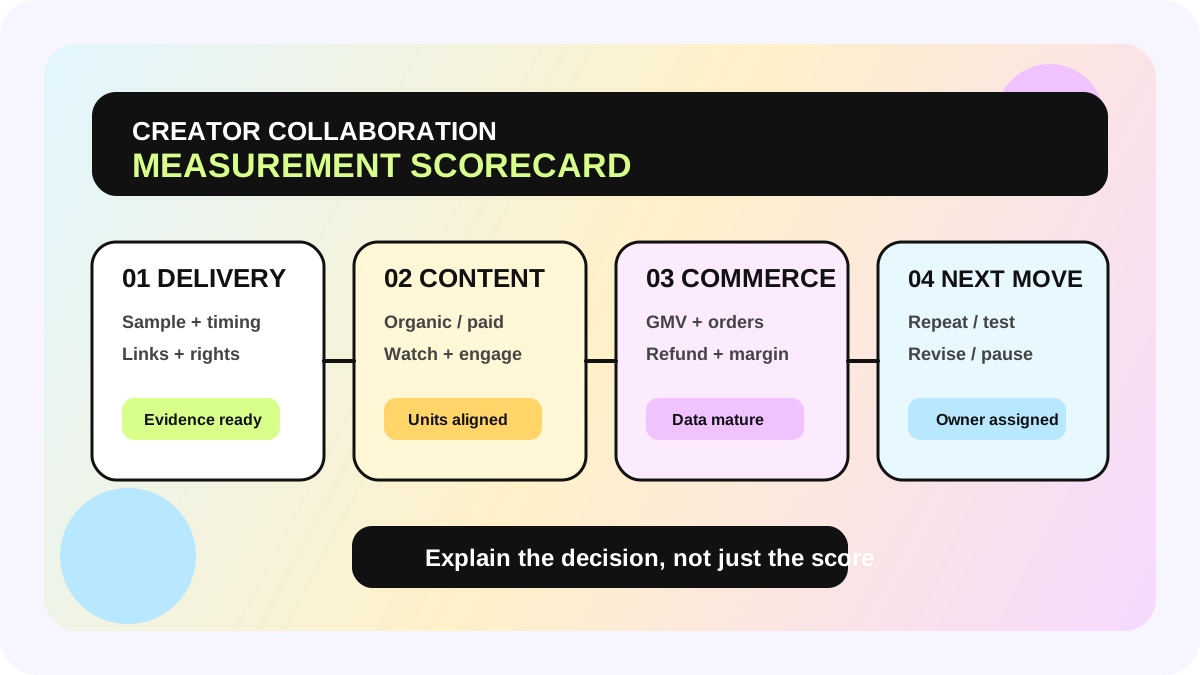
Mas kapaki-pakinabang kapag ikinonekta ang platform data sa creator affiliate workflow, saka itinatala ang decision sa creator collaboration scorecard, creator ROI calculator, at shared creator marketing management system.
Tatlong reporting view, tatlong magkaibang tanong
| Data view | Pinakamagandang tanong | Mahalagang boundary |
|---|---|---|
| Affiliate Center → Performance | Aling creator, product, video, o LIVE ang nagdala ng GMV, orders, at traffic sa napiling period? | Affiliate performance ito, hindi final profit |
| Manage Creators | Ano ang nangyari sa huling 90 days ng creator na ito sa shop? | Shop-specific history ito, hindi market-wide performance |
| Sample Analytics | Sapat ba ang GMV ng free/refundable samples kumpara sa sample cost? | Sample economics lang, hindi buong contribution margin |
Tinatawag ng TikTok Shop ang Performance page na pinaka-reliable na lugar para mangolekta ng affiliate-related GMV. Pinagsasama nito ang GMV, orders, items sold, at traffic mula sa collaborations, products, creators, videos, at LIVEs. Puwedeng gumamit ng 7 days, 28 days, last week, o custom range hanggang 6 months, mag-break down ayon sa collaboration type, content type, at product category, at mag-export para sa offline analysis.
Mas makitid pero mas relationship-focused ang Manage Creators. Ipinapakita nito ang huling 90 days ng creator sa shop: products na idinagdag sa Showcase, samples, videos, LIVEs, GMV, refunded revenue, items sold/refunded, at estimated commission. Maganda ito para sagutin ang “ano ang nangyari sa partnership natin,” pero hindi para ideklarang siya ang pinakamahusay na creator sa buong market.
Bakit kulang ang isang Creator GMV column
Transaction value ang GMV, hindi profit. Kailangan pa ng apat na context bago mag-reinvest:
1. Refund at order state. Puwedeng ma-cancel, ma-refund, o ma-hold ang orders; puwede ring magbago ang estimated commission habang hindi pa mature ang settlement.
2. Content source. Iba ang repeatability ng GMV mula sa isang breakout video kumpara sa serye ng LIVEs o maraming products.
3. Investment boundary. Hindi awtomatikong nasa iisang GMV number ang free samples, refundable samples, commission, discounts, content fees, at paid amplification.
4. Time window. Custom hanggang 6 months ang Performance; rolling 90-day shop history ang Manage Creators. I-align ang market, dates, at refresh time.
Kaya ang “top creator by GMV” ay top transaction value lang sa kasalukuyang filters. Hindi nito pinapatunayan ang pinakamataas na ROI, pinakamababang refund, o pinaka-consistent na delivery.
Mula official reporting hanggang reinvestment queue: 6 steps
1. I-lock ang review scope
Piliin ang market, products, collaboration types, date window, at capture time. Maganda ang 7-day view para sa movement, 28 days para sa monthly review, at mas mahabang period para sa durability. Huwag ituring na pareho ang 7-day spike at 90-day relationship history.
2. Gamitin ang Performance para hanapin ang pagbabago
Sabay tingnan ang GMV, orders, items sold, at traffic, saka mag-drill down per creator. I-flag ang meaningful increase o drop at tukuyin ang product, video, o LIVE. Nakikita ng dashboard kung ano ang nagbago; hindi nito awtomatikong ipinapaliwanag kung bakit.
3. Magdagdag ng shop context sa Manage Creators
I-review ang samples, videos, LIVEs, GMV, refunds, items, at estimated commission sa 90 days. Kapag mataas ang GMV pero mataas din ang refunds, o maraming sample pero kaunti ang published content, dapat manual review muna bago dagdagan ang budget.
4. Ihiwalay ang sample economics sa Sample Analytics
Para sa sample-led collaboration, tingnan ang funnel, GMV, cost input, at ROI ayon sa creator, product, collaboration type, at date. Puwede ring mag-export. Sinasagot ng sample ROI kung gumana ang sampling; hindi nito kasama ang lahat ng labor, discount, ads, fulfillment, o usage-right costs.
5. Magtakda ng explainable next action
Maaaring ulitin ang parehong product, sumubok ng ibang angle, maghintay sa refunds, magdagdag ng LIVE, mag-evaluate ng paid amplification, o i-pause ang samples. Isulat ang evidence, owner, at review date. Hindi actionable status ang “magaling na creator.”
6. Ibalik ang decision sa workflow
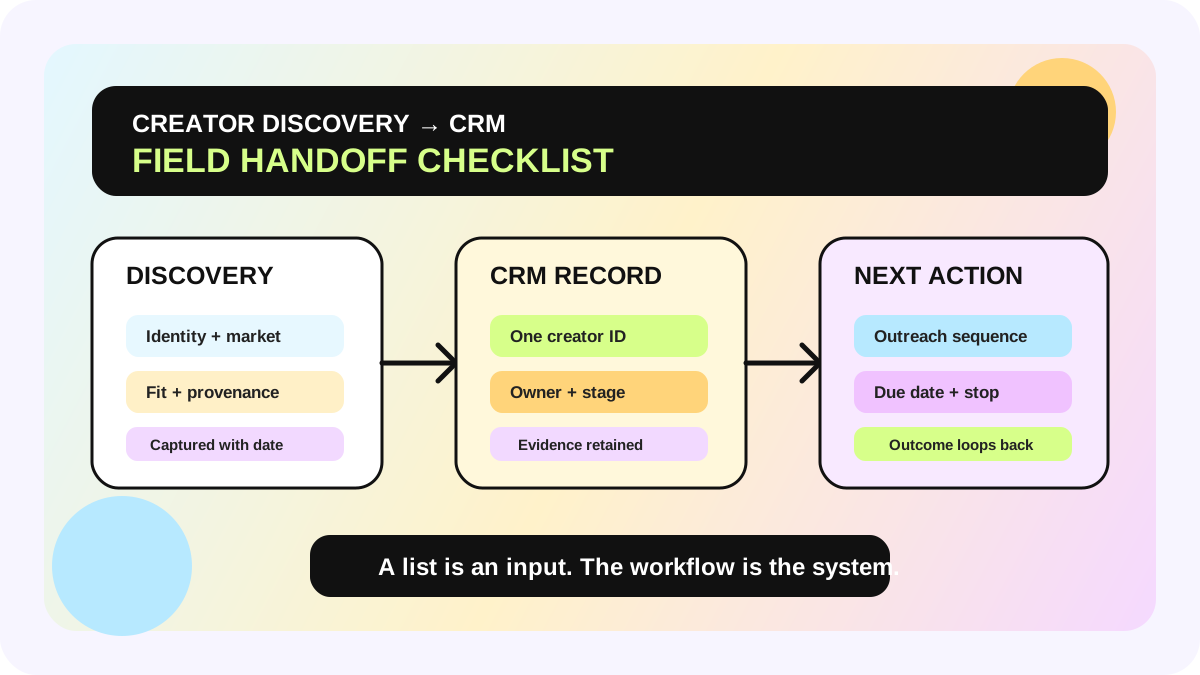
Nagbabago ang platform metrics, kaya dapat auditable ang team judgment. Panatilihin ang source, reporting window, exception reason, action, at decision history para iisa ang conclusion ng BD, content, at media teams.
Kailan ito applicable—at kailan hindi
Applicable ito sa sellers na may collaboration data na sa TikTok Shop Affiliate Center at kailangang mag-prioritize ng reinvestment o samples. Kung kaunti pa ang orders, bukas pa ang refund window, o iba-iba ang data access per market, gumamit muna ng “observing” state kaysa piliting mag-rank.
Hindi rin ito financial profit statement. Kailangan pa ring idagdag ang product cost, fulfillment, platform fees, discounts, commission, samples, ads, at team cost. Puwedeng mag-iba ang navigation at fields per market, kaya sundin ang live metric definition at tooltip sa Seller Center account mo.
Reinvestment checklist
- [ ] Naka-align ang market, date window, at data refresh time
- [ ] Na-drill down ang Performance per creator at na-check ang product, video, o LIVE source
- [ ] Na-review ang refunded revenue/items at estimated commission, hindi GMV lang
- [ ] Na-check ang sample-led work sa Sample Analytics
- [ ] Hindi tinawag na final ROI ang immature orders o same-day peak
- [ ] May decision reason, owner, next action, at review date bawat creator
- [ ] May source at capture time ang exports at hindi ino-overwrite ang mas bagong snapshot
Pananaw ng allymatic: sinasabi ng platform kung ano ang nangyari; ang workflow ang nagdedesisyon ng susunod
Kayang sabihin ng Affiliate Center kung sino ang gumawa ng GMV. Karaniwang lumalabas ang operating gap pagkatapos nito: sino ang magche-check ng refunds, sino ang magdedesisyon kung repeatable ang content, at sino ang mag-aapprove ng susunod na sample o budget. Ang useful creator reporting ay hindi mas mahabang leaderboard. Isa itong traceable path mula data change hanggang reviewed action.
Magsimula sa 20 creators na may history sa last 90 days at mag-manual review ng isang cycle. Kapag stable na ang fields at decision rules, saka ikonekta ang exports, exception flags, at task ownership sa allymatic workflow. Huwag i-automate ang reinvestment habang hindi pa aligned ang definitions.
FAQ
Saan makikita ng seller ang Affiliate GMV per creator?
Buksan ang Affiliate Center → Performance at pumunta o mag-drill down sa Creator view. Para sa 90-day shop history ng samples, content, GMV, refunds, items, at estimated commission, gamitin ang Manage Creators.
Sapat ba ang Creator GMV para magdesisyon ng reinvestment?
Hindi. I-review din ang refunds, items sold, content source, estimated commission, sample investment, at reporting window. Ipinapakita ng GMV ang transaction scale, hindi profit o stability.
Bakit maaaring magkaiba ang Performance at Manage Creators?
Karaniwang dahilan ang date range, filters, market scope, o refresh time. Custom hanggang 6 months ang Performance, habang rolling 90-day shop history ang Manage Creators. I-align muna ang definitions bago ituring na error ang difference.
Opisyal na sources
Opisyal na sources
Mga pangunahing opisyal na reference na ginamit sa artikulong ito.