Paano Gamitin ang TikTok Shop Affiliate Partnerships Overview sa Agency Performance Review
Ang TikTok Shop Affiliate Partnerships Overview ay para sa US sellers na may aktibong campaigns kasama ang Affiliate Partners o TAP agencies. Pinagsasama nito ang agency, product, campaign, content, at creator signals para makita kung aling partner ang nakapaghatid ng settled business at kung aling content o produkto ang dapat bigyan ng susunod na cycle. Hindi ito live-monitoring screen, hindi kapalit ng shop-wide Affiliate Analytics, at hindi rin profit statement.
Ang guide na ito ay batay sa TikTok Shop Seller Academy documentation na inilabas noong May 2026. United States ang kasalukuyang sakop ng official page. Puwedeng mag-iba ang availability, menu, at fields ayon sa market, permission, at product version, kaya i-check pa rin ang live account. Ayon sa TikTok, hanggang isang taon ang lookback at daily ang update gamit ang previous-day data; walang real-time data sa page.
Direct answer: anong apat na grupo ang dapat unahin?
| Layer | Unahin | Sunod na tanong |
|---|---|---|
| Revenue | GMV, Paid Orders, Settled Orders | Mature na ba ang orders at gaano kalaki ang epekto ng returns? |
| Commission | Est. Commission, Actual Commission | Saan galing ang pagitan ng provisional at settled cost? |
| Supply | Products in campaign, Products with sales, 14-day content post rate | Naging content at sales ba ang approved products? |
| Content | Videos, LIVEs, Video VV, Creators with content/sales | Repeatable ba ang output o isang hit lang? |
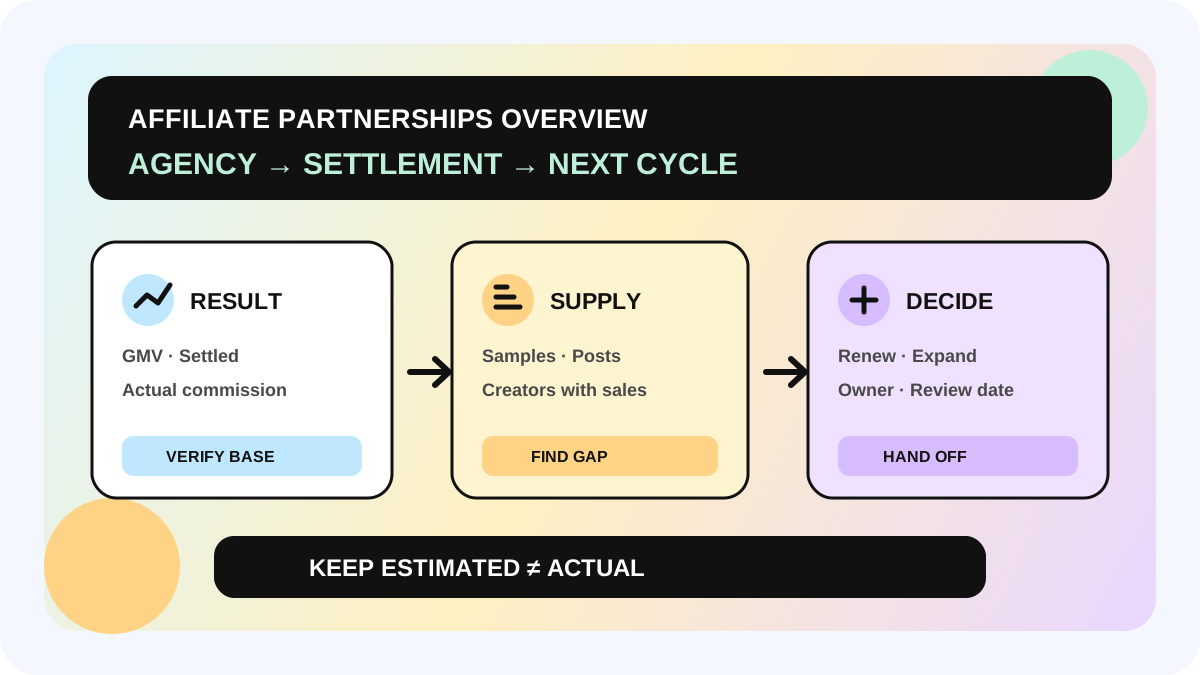
Sa official definitions, kasama pa sa GMV ang returns at refunds dahil ito ang amount paid for orders. Excluded ang mga iyon sa Settled Orders. Kasama rin sa Est. commission base ang paid-order sales bago ma-finalize ang returns/refunds, habang settled sales ang base ng Actual commission. Ihiwalay palagi ang estimated at actual; hindi final agency ranking ang GMV leaderboard.
Ihiwalay muna ang tatlong workspace
1. Para sa agency portfolio ang Partnerships Overview
Pumunta sa Affiliate Center → Work with Partners → Affiliate Partnerships Overview. Hinahati ng Key metrics ang view sa Revenue & Agencies, Products & Campaigns, at Content & Creators. Sa Performance by agency, makikita ang lahat ng TAP agencies na nakatrabaho mo; Est. Commission ang default na sort mula mataas pababa.
2. Para sa daily shop operations ang Affiliate Analytics
Mas malawak ang Affiliate Center → Analytics → Performance: shop GMV, orders, creators, products, videos, at LIVEs, pati Today view. Previous-day update lang ang Partnerships Overview, kaya huwag itong gamitin para mag-steer ng launch o LIVE habang nangyayari. Para sa creator-level shop review, gamitin angaffiliate GMV by creator guide.
3. Finance records pa rin ang basehan ng profit
Hindi kumpleto sa platform GMV at commission ang margin, samples, fulfillment, refunds, media, at agency service cost. Kahit Actual Commission ay hindi total partnership cost. Kapag malaki ang pagitan ng paid at settled, sundan angrefund at commission reconciliation workflow.
Limang hakbang mula report papunta sa action
Hakbang 1: i-lock ang period at collaboration scope
Itala ang market, shop, date range, agency, campaign, at export time. Hanggang isang taon lang ang lookback. Kapag walang campaign with an Affiliate Partner agency sa selected period, puwedeng blank ang page. Hindi ibig sabihin ng blank na zero agad; i-check muna ang collaboration history at filters.
Hakbang 2: basahin ang supply funnel bago mag-rank
Magsimula sa Products in campaign, saka Products with sales. Sundan ang Creators with samples → Creators with posted content → Creators with sales para malaman kung ang bottleneck ay nasa sample receipt, paggawa, posting, o conversion.
Ang 14-day content post rate ay share ng samples na natanggap ng creators sa huling 14 days na nagkaroon ng LIVE o video. Hindi ito lifetime posting rate. Ang Product GPM ay average revenue per 1,000 product views; ang Product video GPM ay para lang sa product views mula sa videos. Panatilihin ang buong field name at source tab bago mag-compare.
Hakbang 3: lead lang ang Top 20, hindi buong population
Default na GMV ranking ang Top 20 videos, products, at campaigns. Sa video card, makikita rin ang agency, Video GMV, Video Views, at product. Mabilis itong paraan para makahanap ng strong hook o offer, pero nawawala ang long tail. I-export ang Excel para ma-review ang lahat ng collaborated videos, products, at campaigns.
Sa high-GMV video, huwag hook lang ang kopyahin. Isama ang product, creator, publish date, format, stock, at commission context. Ikonekta ang creative judgment sacreator collaboration scorecard, pero huwag hayaang isang score ang magtago ng order maturity.
Hakbang 4: gumawa ng “result × supply quality” matrix
| Nakikita | Susunod na action | Huwag munang sabihing |
|---|---|---|
| Mataas ang GMV, stable ang Actual Commission, tuloy-tuloy ang content | Pag-usapan ang dagdag na products, exclusive offer, o bagong target | Bagay sa agency ang lahat ng produkto |
| Mataas ang GMV, malaki ang Paid-to-Settled gap | Hintayin ang maturity at i-check ang refund/product issue | Proven na ang final ROI |
| Maraming samples, kaunti ang posted content | I-audit ang receipt, brief, deadline, at follow-up | More samples lang ang sagot |
| Maraming content, kaunti ang Creators with sales | I-review ang product fit, angle, PDP, at price | High views equals success |
Estimated Commission ang default agency order, hindi final profit. Bago mag-renew, tingnan din ang Actual Commission, Settled Orders, Products with sales, Creators with sales, at consistency ng content delivery.
Hakbang 5: mag-export, mag-assign ng owner, at magtakda ng recheck date
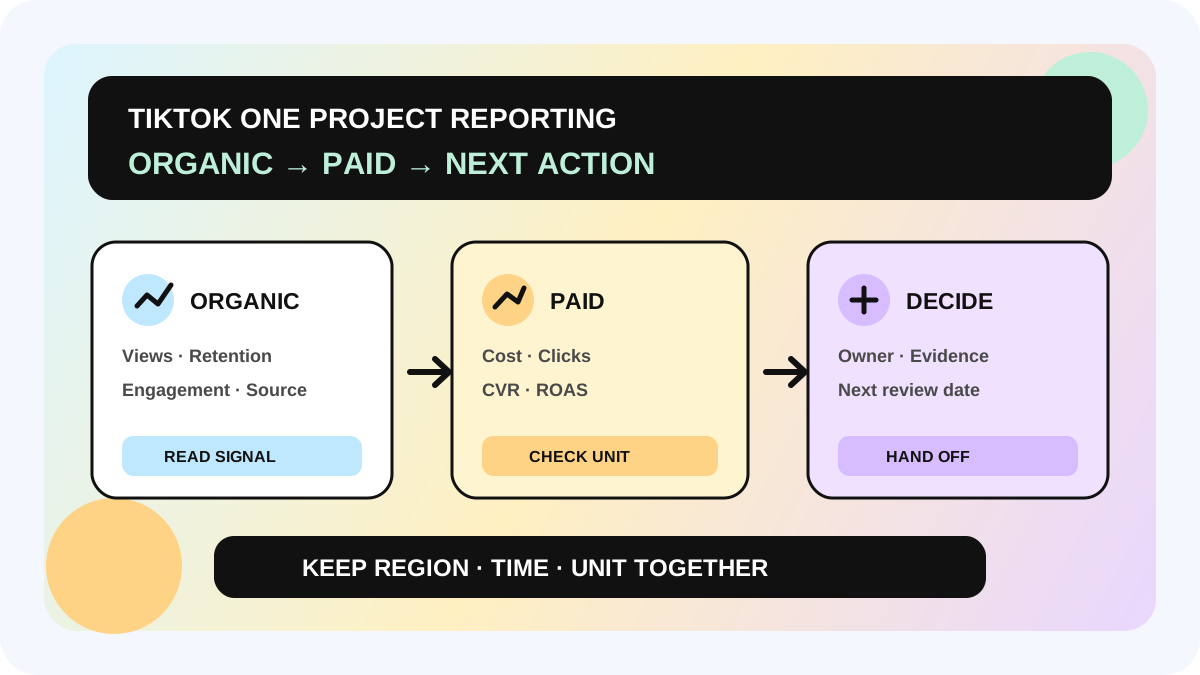
Panatilihing read-only ang original Excel. Sa working sheet, ilagay ang metric definitions, as-of date, at filters. Gumawa ng rows sa agency × campaign × product level na may Decision, Owner, Next action, at Next review date. Ipasok ang follow-up sacreator marketing management system para hindi matapos sa screenshot ang review.
Weekly review checklist
- [ ] Confirmed ang feature para sa market at account
- [ ] Locked ang market, shop, date range, agency, at campaign
- [ ] Hindi tinuring na real time ang previous-day data
- [ ] Hiwalay ang GMV/Paid Orders at Settled Orders
- [ ] Hiwalay ang Estimated at Actual commission
- [ ] Documented ang denominator ng 14-day content post rate
- [ ] May full Excel export bukod sa Top 20
- [ ] Hiwalay na na-check ang margin, refund, inventory, media, at service fees
- [ ] May owner at review date ang bawat action
Pananaw ng allymatic: repeatable supply ang i-review, hindi GMV leaderboard lang
Puwedeng manggaling ang isang malaking GMV sa iisang product, video, o promo window. Mas mahalagang malaman kung paulit-ulit na naitutulak ng agency ang approved product mula sample receipt hanggang content, sales, at settlement. Iminumungkahi ng allymatic na panatilihin ang Agency, Campaign, Product, Sample status, Content posted, Creators with sales, Settled Orders, Actual Commission, Decision, at Owner. Ito ang ebidensyang nagpapaliwanag kung bakit dapat ituloy ang partnership.
Magsimula sa 30-day audit ng tatlong agencies. Para sa bawat isa, hanapin ang isang high-GMV asset, isang supply bottleneck, at isang numerong kailangan pang mag-settle. Kapag malinaw ang tatlong iyon, saka pag-usapan ang budget o product expansion.
FAQ
Real-time ba ang Affiliate Partnerships Overview?
Hindi. Daily itong ina-update gamit ang previous-day data. Para sa same-day launch o LIVE, gamitin ang Today view sa Affiliate Analytics at mag-manual refresh.
Bakit walang data sa Partnerships Overview?
Maaaring wala pang collaboration ang shop sa Affiliate Partner agency, o walang agency campaign sa selected period. I-check ang history at date filter bago mag-record ng zero.
Hanggang gaano katagal ang historical data?
Ayon sa TikTok, hanggang nakaraang isang taon ang agency collaboration data sa page.
Automatic bang ire-renew ang agency na may pinakamataas na GMV?
Hindi. Kasama sa GMV ang returns/refunds at Estimated Commission ang default sort. Isama sa decision ang Settled Orders, Actual Commission, supply quality, creator sales coverage, margin, at service cost.
Opisyal na sources
Opisyal na sources
Mga pangunahing opisyal na reference na ginamit sa artikulong ito.