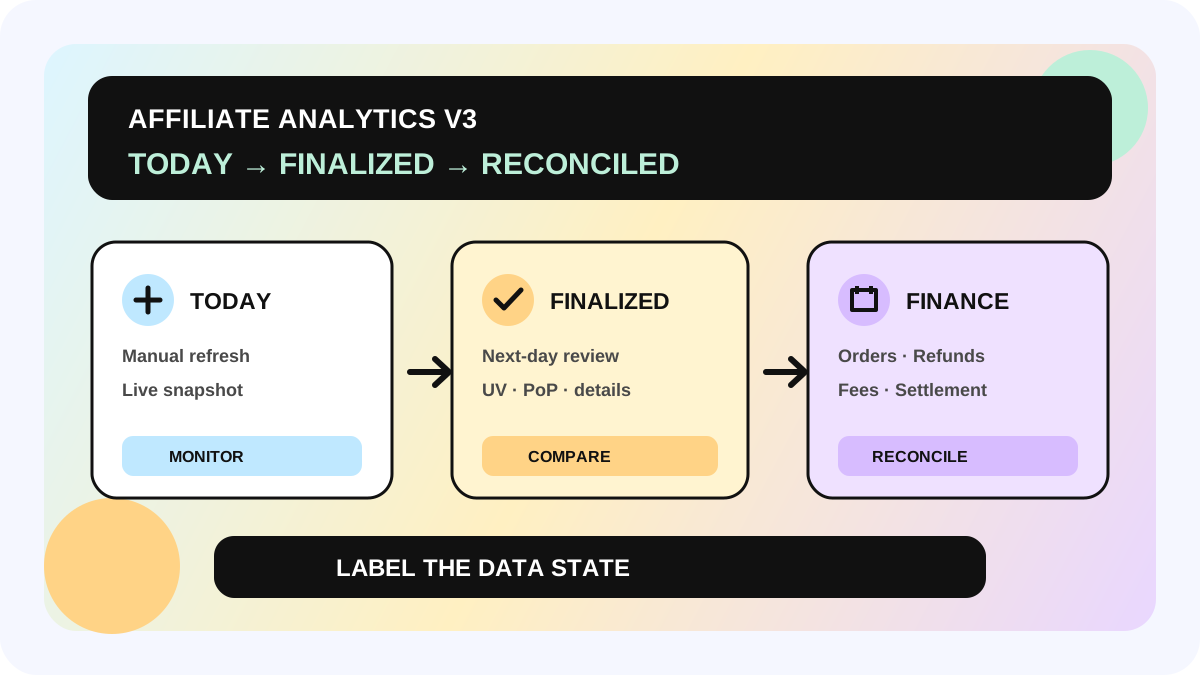
Why TikTok Shop Affiliate Analytics Changes Overnight: A Today-to-Finalized Data Handoff
If TikTok Shop Affiliate Analytics shows one number today and a slightly different number tomorrow, that does not automatically mean the dashboard is wrong. In the U.S. version of Affiliate Seller Analytics v3, Today is a manually refreshed live snapshot, while the same day is finalized on the next day. Use Today to spot a LIVE, video, creator, or product that needs attention; use finalized next-day data for performance review; and use affiliate order or settlement records for commission and finance reconciliation. That separation is the safest answer to “why is my TikTok Shop affiliate data inaccurate?”
This workflow is for seller affiliate, creator operations, media, and finance teams that need to act quickly without presenting an intraday signal as a closed commercial result. It complements the creator affiliate operating page, the commission discrepancy workflow, the agency performance review guide, and the creator ROI calculator.
Direct answer: which number should each decision use?
Use Today for monitoring and intervention. It can help a team notice a running LIVE, a new video, a creator spike, or a product losing momentum while there is still time to investigate. Refresh it manually and record the refresh time.
Use finalized next-day data for daily review, creator comparison, and trend reporting. TikTok says Today is still settling and may differ slightly from the finalized figure shown the next day.
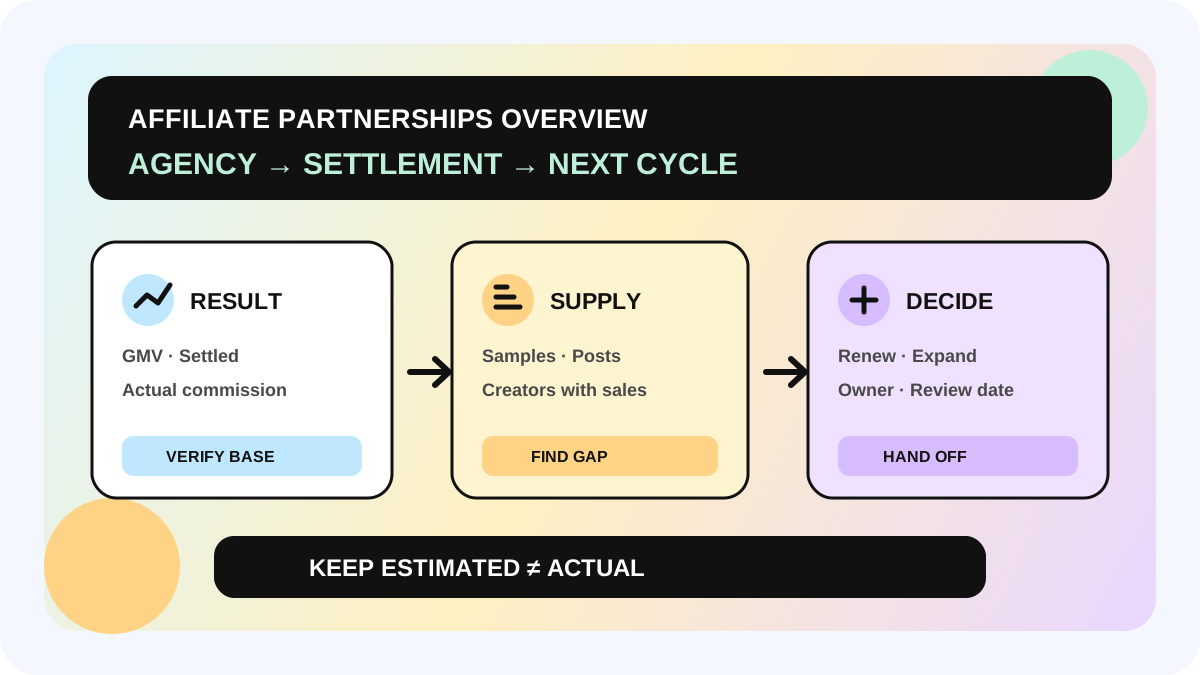
Use order-level and settlement records for commission, payout, refund, fee, and profit decisions. Affiliate Analytics explains what is driving performance; it is not the final financial ledger. TikTok's U.S. commission guidance also distinguishes estimated commission from actual commission after refunds and says payout timing can depend on settlement, disputes, returns, or refunds.
| Data state | Best use | Do not use it alone for |
|---|---|---|
| Today live snapshot | Same-day monitoring, LIVE or launch triage | Final creator ranking, commission, profit |
| Next-day finalized view | Daily review, PoP comparison, creator/product diagnosis | Payout confirmation or fee reconciliation |
| Affiliate orders / settlement report | Order status, actual commission, refunds, fees, payout | Explaining every awareness or engagement signal |
The feature guide cited here applies to the United States. Availability, labels, settlement schedules, and metric coverage may differ by market, account, or rollout. Confirm the interface and local Seller Academy guidance before turning this workflow into policy.
Four reasons the numbers can look inconsistent
1. Today does not refresh automatically
The Today view must be refreshed manually. Two teammates can open the same date at different times and see different snapshots without either export being defective. A screenshot or spreadsheet without its refresh time is therefore incomplete evidence.
2. Same-day data is still settling
TikTok describes Today as a live snapshot that is finalized the next day. Small overnight changes are expected. A team should not silently overwrite the first number; keep the snapshot timestamp so the difference can be explained.
3. Multi-day UV is deduplicated
Weekly UV is not the sum of seven daily UV figures. If the same shopper visits on several days, that shopper is counted once across the selected multi-day range. A lower weekly UV can therefore reflect better deduplication rather than missing traffic.
4. Engagement-only content is visible again
Videos and LIVEs that produced views or clicks but no attributed order in the period can still appear. That is useful for diagnosing awareness and content interest, but it does not turn engagement into GMV. Keep “attention signal” and “commercial result” in separate columns.
A six-step Today-to-finalized handoff
Step 1: lock the scope before reading the trend
Record the shop region, selected date range, filters, timezone used by the team, and manual refresh time. Do not compare one creator's Today snapshot with another creator's finalized seven-day view. If the team operates several markets, run a separate review per market rather than merging screenshots.
Step 2: label the data state
Every shared number should carry one of three labels: `live snapshot`, `next-day finalized`, or `finance reconciled`. Add the source path as well: Performance overview, creator detail, product detail, Affiliate Orders, or settlement report. The label prevents a fast observation from becoming an accidental promise.
Step 3: use Today only to trigger reversible actions
Today is suited to questions such as: Should someone check the product link? Did a LIVE stop converting? Is a video suddenly gaining clicks? Should the owner verify stock, price, or content availability? It is not strong enough on its own to approve a permanent commission change, close creator ROI, or declare profit.
Step 4: reopen the same scope after finalization
On the next day, use the same date and breakdown. Compare overall GMV and orders, then drill into creator, product, video, or LIVE detail. Preserve both values and write a short reason if the movement would change the decision. A small expected change needs no escalation; a material unexplained gap should enter the commission discrepancy workflow.
Step 5: interpret UV and engagement with the correct denominator
Do not add daily UV to recreate a weekly total. Use the platform's selected-range UV because it deduplicates shoppers across days. For engagement-only content, review views and clicks as upstream signals, then separately check whether attributed orders appeared. This keeps a high-reach asset from being mislabeled as a proven sales asset.
Step 6: reconcile money in the order and finance layers
Before changing a creator budget, commission, or profitability conclusion, check order status, estimated versus actual commission, refunds, disputes, and settlement. TikTok's U.S. materials explain that commission is based on revenue after refunds, and that fully refunded or canceled orders earn no commission. The settlement report is the place to inspect order-level fees and payout activity. Export the relevant lists, assign an owner, and record the next review date.
Daily operating checklist
- Record region, date range, filters, refresh time, and data-state label.
- Use Today for alerts, not final scorecards.
- Reopen the identical scope after next-day finalization.
- Read PoP percentages with the selected period, not as context-free growth claims.
- Never sum daily UV to manufacture a weekly UV total.
- Tag engagement-only content separately from order-producing content.
- Move commission, refund, fee, and payout questions to order or settlement records.
- Keep both the early snapshot and final value when the difference affected an action.
- Write the decision, owner, evidence link, and next check into the shared creator workflow.
The allymatic view: data freshness is an operating state, not a footnote
Teams usually lose trust in analytics when one number is copied into every meeting without its state. The better system does not force Today, finalized analytics, and finance records to look identical. It makes the transition between them visible.
In allymatic, we recommend treating data freshness like any other workflow status: named, owned, timestamped, and reviewable. A live spike can start an investigation. A finalized result can support a creator or product review. A reconciled order can support a money decision. When each layer has a clear job, the team moves faster without pretending that speed equals certainty.
FAQ
Why did today's TikTok Shop affiliate GMV change the next morning?
Because Today is a live snapshot that is still settling. TikTok says the number is finalized the next day, so a small difference is expected. Save the refresh time and use the finalized figure for the daily scorecard.
Why is weekly UV lower than the sum of daily UV?
The multi-day UV calculation deduplicates the same shopper across the selected range. Adding daily UV counts returning visitors more than once, so it should not be used to recreate the weekly number.
Does engagement-only content count as a successful affiliate sale?
No. It means a video or LIVE generated views or clicks without an attributed order in the period. Use it as a content or awareness signal, then evaluate orders separately.
Can Affiliate Seller Analytics confirm final commission and profit?
Not by itself. Use Affiliate Analytics to understand performance drivers, then reconcile estimated and actual commission, refunds, fees, and settlement in the relevant order and finance records. Local rules may differ outside the U.S.
Official Sources
Official Sources
Primary references used for this article.